Keyless Unit Access for Self Storage: How It Works and Why Tenants Love It
November 7, 2026 | Team StoRegister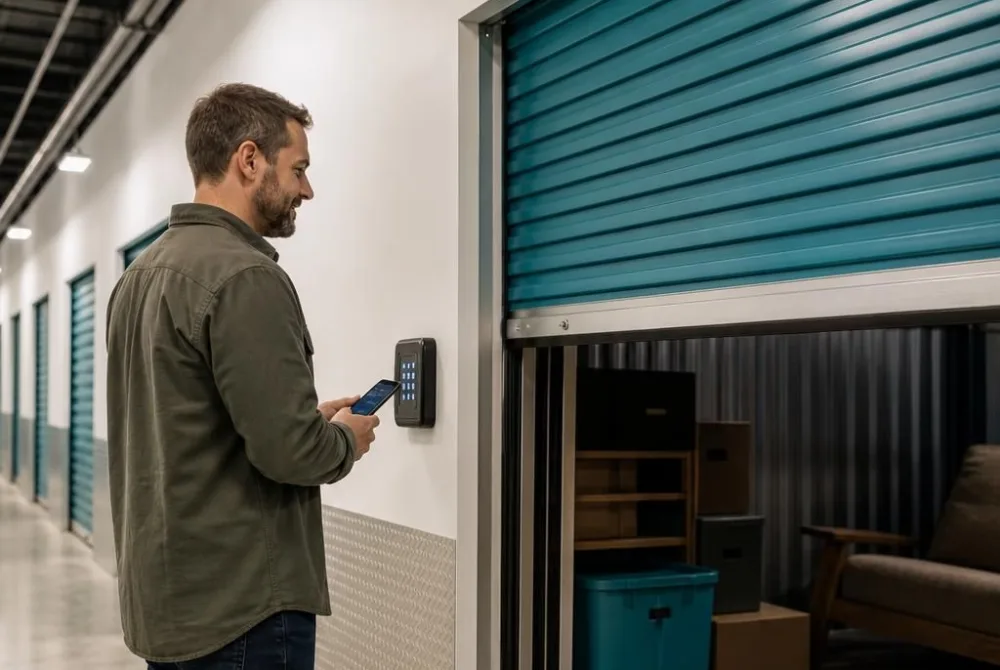
Keys and padlocks have been part of self storage for as long as the industry has existed. They work, but they come with small, constant problems: lost keys, shared codes that never change, staff needed on site to let people in, and no real record of who entered when. Keyless unit access solves most of these problems at once. It's also one of the features tenants love most.
Keyless access is changing that. Tenants open the gate, and sometimes their own unit, with a code or their phone. Operators control access from their software. Here's how it works and what to think about if you're considering it.
What keyless access means in practice
Keyless access covers a few different setups:
- Personal gate codes that are unique to each tenant and change when they move out.
- Phone-based access, where the tenant taps a button in an app or web page to open the gate or door.
- Smart locks on individual units, controlled in the same way.
The common thread is that access is managed digitally and linked to the tenant's account, rather than to a physical key.
Why tenants prefer it
For customers, keyless access simply makes life easier. They don't have to collect a key, remember to bring it or worry about losing it. They can visit when it suits them within your access hours, including early mornings or evenings.
It also feels modern and secure. Being able to open a unit from your phone gives tenants confidence that the facility takes security seriously.
Why operators benefit
Less time on site. Staff don't need to meet every customer to hand over keys or open gates.
Automatic control. When access is linked to your software, it can switch on when a tenant moves in and off when they move out or fall behind on payments.
Better security. Unique credentials mean you know exactly who has access, and shared or old codes stop working.
A clear record. Access logs show who entered and when, which helps if questions or incidents come up.
Support for unstaffed or hybrid sites. Keyless access is one of the building blocks of facilities that run with fewer staff on site.
Linking access to payments
One of the most useful features is the connection between access and account status. If a tenant's payment fails, the system can restrict their access until it's resolved, according to your own policy. When they pay, access returns automatically.
This removes uncomfortable manual steps for staff and encourages tenants to keep their accounts up to date. It's important to set clear rules and explain them in your rental agreement so tenants know what to expect.
Linking access to move-ins
Keyless access works especially well with online move-ins. A customer books a unit online, signs their agreement with e-signature, pays, and receives access details straight away. They can arrive and move in without visiting the office at all.
For busy customers, this is a big part of what makes renting storage feel effortless.
What to check before you switch
Keyless access involves hardware as well as software, so plan carefully:
- Compatibility. Make sure your access hardware works with your storage software, or choose both together.
- Connectivity. Gates and locks need a reliable connection. Check coverage across your site.
- Backup options. Decide how tenants get in if their phone battery dies or a device fails.
- Access hours. Set rules for when tenants can enter, and make them clear in the agreement.
- Staff training. Your team should know how to grant, change and remove access quickly.
- Data protection. Access logs are personal data. Make sure they're stored securely and kept only as long as needed.
Do you need to replace every lock at once?
Not necessarily. Many operators start with gate access and add unit-level smart locks later, or try them on a section of the site first. A phased approach spreads the cost and lets you see how tenants respond.
How it fits into an all-in-one system
Keyless access delivers the most value when it's part of the same system as bookings, billing and tenant records. If access sits in a separate tool, someone still has to update it by hand whenever something changes.
With an all-in-one platform, unit access follows the tenant's journey automatically, from booking to move-out. In StoRegister, unit access sits alongside bookings, e-sign, invoices, payments and AI Genie, so status changes in one place are reflected everywhere.
Useful resources: for wider industry guidance, see ENISA, the EU Agency for Cybersecurity.
Frequently asked questions
Is keyless access safe?
When set up properly, it's generally more secure than shared keys or codes, because each tenant has their own credentials and access can be removed instantly.
What happens if the internet connection drops?
Ask your hardware provider how their system behaves offline. Many keep working with stored credentials and sync when the connection returns.
Can tenants share access with family or staff?
That depends on your policy and system. Some setups allow authorised extra users, which is useful for business tenants.
Final thoughts
Keyless access removes small daily frustrations for tenants and staff alike, while giving operators more control and better security. Linked to your storage software, it becomes part of a smooth customer journey rather than another system to manage.
Book a free StoRegister demo to see how unit access works together with bookings and payments.
ALL in. ALL yours.
StoRegister is secure self-storage software with every feature included: bookings, e-sign, invoices, payments, unit access and AI Genie. Book a free demo.