Boat and RV spaces
Structure spaces by the agreed property, type, dimensions, status, price and availability model.
Supported storage model
Connect space availability, customer records, rental terms, billing and portfolio reporting for boat and RV storage while confirming vehicle attributes, seasonal rules and access requirements before rollout.
StoRegister explicitly supports this storage category. Exact inventory fields, applications, channels, providers and commercial scope still depend on the agreed configuration.
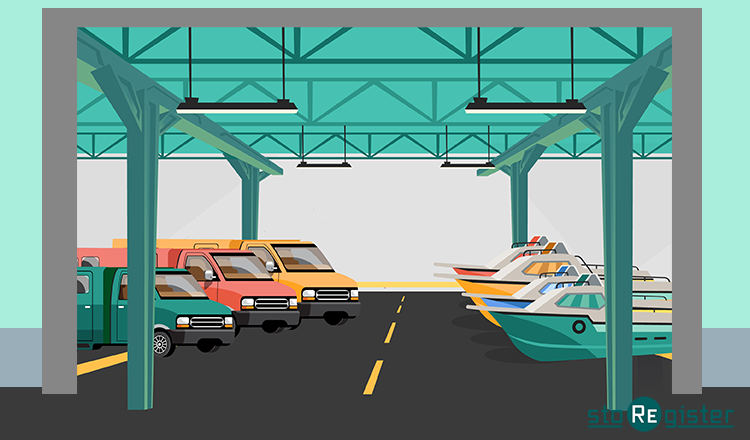
Direct answer
Boat and RV storage management software connects rentable spaces with availability, enquiries, customers, agreements, billing, payments and reporting. StoRegister explicitly supports boat and RV storage; vehicle details, covered or outdoor space variants, seasonal terms and access integrations still require confirmation.
Operating model
Start with the verified platform baseline, then translate model-specific inventory and exceptions into testable requirements.
Structure spaces by the agreed property, type, dimensions, status, price and availability model.
Connect enquiry, reservation, customer, agreement, documents, changes, renewal and move-out.
Run configured recurring charges, payments, collections and facility or portfolio reporting.
Connected lifecycle
Use representative records and exceptions from availability through account closure and reporting.
Define space types, dimensions, sites, statuses, prices and availability rules for representative vehicles.
Test enquiry, quotation, reservation, customer, vehicle detail, agreement and payment steps.
Validate access dependencies, documents, seasonal changes, charges, overdue activity and exception ownership.
Confirm notice, release, availability return, account history and facility or portfolio reporting.
Six requirement groups
Each group should produce a visible demo scenario, a supported answer and an owner for unresolved dependencies.
Confirm space types, dimensions, covered or outdoor classifications, vehicle details, status and availability rules.
Test how boat and RV storage pricing, deposits, recurring charges, taxes, promotions and add-ons should be represented.
Map enquiry, quotation, reservation, customer setup, agreements, payments, amendments and move-out.
Confirm which tasks belong in Sleek Web, which supported context is needed on mobile and who owns each exception.
Confirm payments, documents, access control and any vehicle, service, security or facility provider requirements.
Define facility and portfolio views, representative test cases, exclusions, owners and written acceptance evidence.
Right task, right surface
A feature available somewhere in the platform is not automatically available in every plan, application, channel or storage-model configuration.
Run the agreed lead, availability, customer, rental, billing and reporting workflows from the operator application.
Back-office operationsGive authorised teams a focused route to supported operational context on iOS and Android, subject to plan and device scope.
On-site contextProvide configured booking and tenant-account journeys where the selected plan, model and implementation support them.
Customer journeyAssess documented integrations and approved API use cases against the required provider, market, version and commercial scope.
Controlled connectivityEvidence before commitment
Make both sides visible so a familiar label never becomes an unsupported capability or compatibility promise.
The locked platform pages support these concepts.
These details depend on the operation and agreed implementation.
Evidence-first evaluation
Bring the model and exceptions; leave with demonstrated coverage, exclusions, ownership and commercial scope.
Provide representative inventory, customers, terms, providers and exceptions.
Demonstrate the required enquiry, rental, finance and closure scenarios.
Exercise specialist, negative, recovery and integration cases.
Document supported scope, exclusions, owners, price and proposal terms.
Platform evidence
Review platform coverage, feature boundaries and the evidence scorecard before comparing proposals.
Related storage models
Use the Product Hub for the complete directory and keep supported categories distinct from specialist evaluations.
Storage model questions
Use these answers to distinguish verified platform evidence from operation-specific confirmation.
Boat and RV storage management software connects rentable spaces with availability, enquiries, customers, agreements, billing, payments, move-out and reporting. Exact vehicle fields, space variants, seasonal terms, services and access depend on the operation and configuration.
Yes. StoRegister's locked product evidence explicitly identifies boat and RV storage as a supported model. The evaluation should still confirm space attributes, vehicle requirements, workflow variants, applications, plan and providers.
StoRegister supports space inventory, dimensions, status, pricing and availability concepts. Bring representative spaces, vehicles and exceptions so the exact fields, fit rules and operational behaviour can be demonstrated and documented.
Mini Store can support configured availability, booking, payment and tenant-account journeys. Exact vehicle questions, documents, payment providers, languages, channels and steps depend on the selected plan and implementation scope.
Sleek is available on web, iOS and Android for authorised operator workflows. Confirm which boat and RV tasks are supported on each application, together with plan and registered-device allowances.
Vehicle and space attributes should be included in the requirements review. This page does not assume every registration, insurance, dimension-validation or allocation rule is available; demonstrate the required data and decisions before commitment.
Supported access-control providers and workflows can be assessed for the required site, hardware and use case. Provider, version, credential, event, fallback, testing and commercial scope must be confirmed.
StoRegister publishes plan pricing and separately scoped options rather than a universal price per parking space. Review capacity limits, applications, registered devices, setup, migration, integrations and hosting on the pricing page and proposal.
Yes, subject to an agreed proposal. StoRegister can scope first-system setup using agreed business information, or migration from another platform using an agreed supported data set. Migration depends on source access, data quality, provider compatibility, mapping and acceptance. Both routes can include selected application and compatible-integration configuration, go-live preparation and paced adoption guidance. Assistance requests can be raised 24/7; fees, channels, staffed coverage, response and resolution targets, responsibilities, acceptance and the service endpoint are defined in the proposal and applicable agreement.
Build a relevant walkthrough
Bring representative inventory, customers, rental terms, billing rules, providers, specialist exceptions and acceptance criteria.