Managing Multiple Self Storage Sites from One Dashboard
November 10, 2026 | Team StoRegister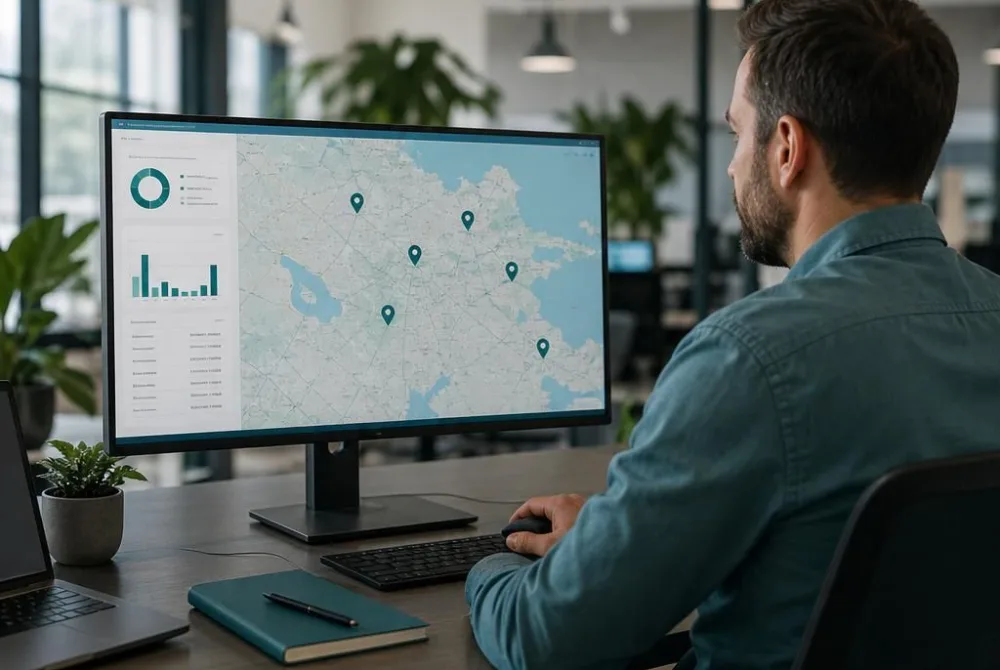
Opening a second storage site is a big milestone. It usually means the first one is working. But it also brings a new kind of challenge. Processes that worked when the owner was on site every day start to stretch. Information lives in different places. It becomes harder to know, at a glance, how the business is really doing. Managing multiple self storage sites well comes down to having one clear view of everything.
Whether you run two sites or twenty, the key is having one clear view of everything. Here's how to manage multiple self storage sites without multiplying the admin.
The hidden cost of separate systems
Many operators grow site by site, adding tools as they go. One location uses a spreadsheet, another uses a booking tool, a third came with its own software when it was acquired. Each works on its own, but together they create problems:
- No single view of occupancy or revenue.
- Different processes at every site.
- Duplicate data entry and more mistakes.
- Staff who can't easily cover another location.
- Reports that take hours to combine.
The more sites you add, the bigger these costs become.
One dashboard, every site
The goal is simple: log in once and see every site. From one dashboard you should be able to check occupancy, revenue, overdue accounts and available units across the whole portfolio, then drill down into any single location.
This makes it much easier to spot problems early. If one site's occupancy drops or overdue accounts rise, you'll see it straight away rather than at the end of the month.
Consistent processes across locations
Customers should have the same experience wherever they rent. That means the same booking flow, the same rental agreement, the same payment options and the same level of service.
When every site runs on one system, consistency comes naturally. You set up your agreement templates, pricing rules and processes once, then apply them everywhere, adjusting only where local conditions require it.
Flexible roles and permissions
As you grow, you'll have more people involved: site managers, area managers, finance staff, owners or investors. Each needs different access.
Good multi-site software lets you control who sees what. A site manager might only see their location, while an area manager sees several and the owner sees everything. This protects sensitive information and keeps everyone focused on their own responsibilities.
Handle different storage types
Multi-site operators often run different kinds of storage at different locations: indoor units at one, containers at another, boat and RV parking at a third. Your software should handle all of them without forcing you into separate tools.
StoRegister supports self storage units, containers, garages and boat and RV storage in one platform, so a mixed portfolio can still be managed from a single dashboard.
Centralised access control
When access control is connected to your software, you can manage gate and unit access for every site from one place. Credentials follow the tenant's account automatically, so there's no need for staff at each site to update access by hand.
This is especially valuable for unstaffed or hybrid locations, where remote management is essential.
Reporting that compares sites
Combined reporting is one of the biggest benefits of a single system. You can compare sites side by side: occupancy, average rent, length of stay, overdue accounts. Patterns become obvious. Maybe one location fills faster with smaller units, or another has more business customers.
These insights help you decide where to invest, how to price and what to promote. With AI Genie, you can ask questions such as which site had the highest occupancy last month and get an immediate answer.
Preparing for growth
If you're planning to add sites, a few steps now will save effort later:
- Standardise your processes at your existing site before expanding.
- Choose software that scales, so adding a site is a configuration task, not a new project.
- Use consistent naming for sites, unit types and sizes.
- Set up roles and permissions that will work for a larger team.
- Build reporting habits early, reviewing the same key numbers every month.
Brand and language across locations
If your sites are in different regions or countries, customers may expect different languages. Software that supports multiple languages, along with your own branding on booking pages and tenant apps, helps every site feel local while staying part of one business.
Useful resources: for wider industry guidance, see FEDESSA, the Federation of European Self Storage Associations.
Frequently asked questions
Can each site have different prices?
Yes, multi-site software normally lets you set pricing per site, so you can reflect local demand while managing everything centrally.
Do I need separate logins for each location?
Not with a proper multi-site system. One login can give access to all the sites a user is allowed to see.
Is multi-site software only for large operators?
No. Even two sites benefit from one shared system, and it makes adding a third much easier.
Final thoughts
Growth should make your business stronger, not more complicated. Managing every site from one dashboard keeps processes consistent, information accurate and decisions grounded in real data.
If you're running more than one location, or planning to, book a free StoRegister demo to see multi-site management in action.
ALL in. ALL yours.
StoRegister is secure self-storage software with every feature included: bookings, e-sign, invoices, payments, unit access and AI Genie. Book a free demo.