The Hidden Costs of Self Storage Software: Add-Ons, Upgrades and Fees to Watch
November 22, 2026 | Team StoRegister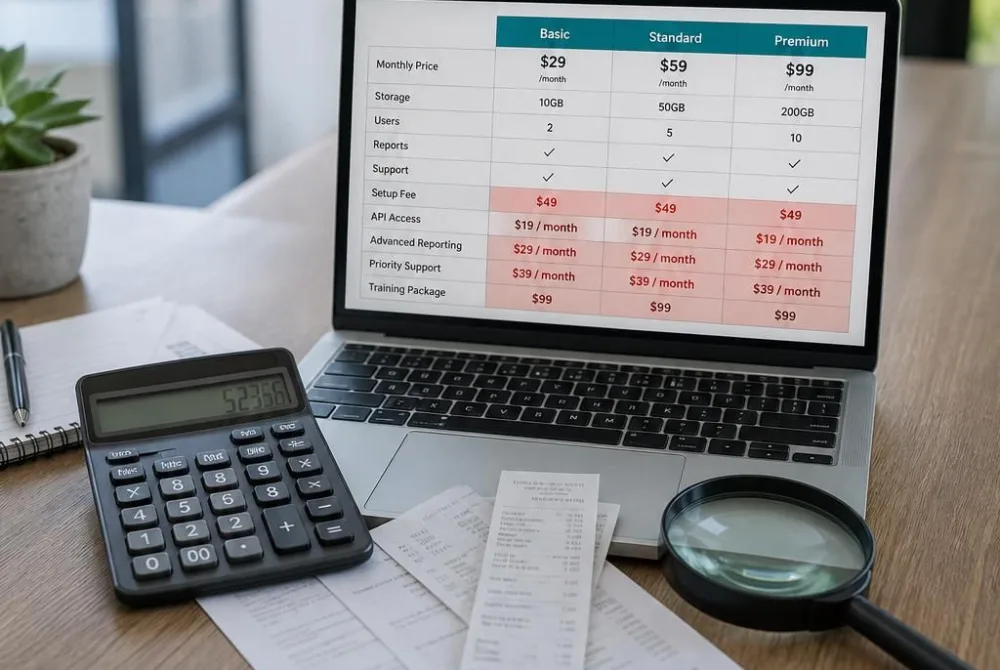
When operators compare self storage software, the first thing they usually look at is the monthly price. It's a sensible starting point, but it rarely tells the whole story. Many systems advertise an attractive base price, then charge separately for features that most facilities need. Those extra charges are the hidden costs that can double what you actually pay. Add-ons, upgrades and hidden fees can change the real price a lot.
Understanding the true cost before you sign can save a lot of money and frustration. Here are the hidden costs to watch for.
1. Paid add-ons for core features
This is the most common surprise. The base package covers unit management, but online booking costs extra. E-signature is another add-on. The customer portal, access control integration, reporting or a mobile app each add to the bill.
Before comparing prices, make a list of the features you actually need and ask each vendor what the total would be with all of them included. You may find that a system with a higher headline price is cheaper overall.
2. Upgrade fees for new features
Software keeps evolving. New features appear, and some vendors charge to access them, either through higher-tier plans or separate fees. Over a few years, staying up to date can become expensive.
Ask directly: "When you release new features, will I get them as part of my subscription?" StoRegister, for example, includes free updates as part of its zero add-ons approach.
3. Per-unit or per-site pricing that scales fast
Some pricing models are based on the number of units or sites. That can be fair, but make sure you understand how costs will grow as you add units or locations. Model the cost for your current size and for where you hope to be in three to five years.
4. Setup and onboarding charges
Getting started may involve setup fees, data migration charges or paid training. These aren't necessarily bad, since good onboarding is valuable, but they should be clear from the start. Ask what's included and what costs extra.
5. Payment processing fees
If the software processes card payments, there will be transaction fees. Find out who the payment provider is, what the fees are and whether you can choose your own provider. Small percentage differences add up across hundreds of monthly payments.
6. Integration costs
Connecting your software to access control hardware, accounting tools or e-invoicing solutions can sometimes involve extra fees, either from the software vendor or third parties. Ask which integrations are included and whether any require paid development work.
7. Support levels
Some vendors offer basic support for free and charge for faster response times, phone support or a dedicated account manager. Make sure the included support level is realistic for a business that may need help at busy times.
8. The cost of extra tools
If your storage software doesn't cover everything, you may end up paying for separate tools: a booking plugin, an e-sign service, a reporting tool, a separate app. Each adds cost and creates more systems to manage.
An all-in-one platform that includes bookings, e-sign, invoices, payments, unit access and AI tools can remove the need for many of these extras.
9. The cost of switching later
Choosing the wrong system has a cost of its own. Migrating data, retraining staff and updating your website all take time. Ask how easy it is to export your data and whether there are long contract terms or exit fees.
How to compare true cost
To compare systems fairly:
- List your must-have features, now and in the next few years.
- Ask each vendor for a full quote covering all of them.
- Include one-off costs such as setup and migration.
- Estimate payment processing fees based on your monthly rent roll.
- Model growth, adding units or sites over time.
- Check contract terms, including notice periods and price increases.
Then compare the total cost over three years, not just the first month.
Value, not just price
The cheapest system isn't always the best value. Time saved, extra online bookings, fewer late payments and better security all have real financial value. A system that costs a little more but saves hours each week and fills more units can easily pay for itself.
Questions to ask before you sign
Before committing to any system, ask the vendor to confirm a few points in writing. What exactly is included in the subscription? Are there any features shown in the demo that cost extra? How are new features handled? What are the payment processing fees? What setup or onboarding costs apply? What is the contract length and notice period, and how are price increases handled?
Having clear answers on paper protects you from surprises later and makes it much easier to compare vendors fairly. A trustworthy provider will be happy to put these details in writing, while vague answers are often a warning sign worth taking seriously.
Useful resources: for wider industry guidance, see the Self Storage Association UK.
Frequently asked questions
Why do some storage software prices look so low?
Often because core features are sold separately as add-ons. Always compare the full cost with everything you need.
What does zero add-ons mean?
It means all features are included in the subscription, without extra charges for individual modules.
Should I avoid setup fees?
Not necessarily. Good onboarding can be worth paying for, as long as the cost is clear upfront.
Final thoughts
The real cost of self storage software is everything you pay to get the features and support you need, over the years you'll use it. Ask direct questions, compare full quotes and look for pricing you can predict.
StoRegister is all in: every feature included, zero add-ons and free updates. Book a free demo to see what's included and get a clear picture of the cost.
ALL in. ALL yours.
StoRegister is secure self-storage software with every feature included: bookings, e-sign, invoices, payments, unit access and AI Genie. Book a free demo.