Running a Container Storage Business: Software Tips for Efficient Sites
November 8, 2026 | Team StoRegister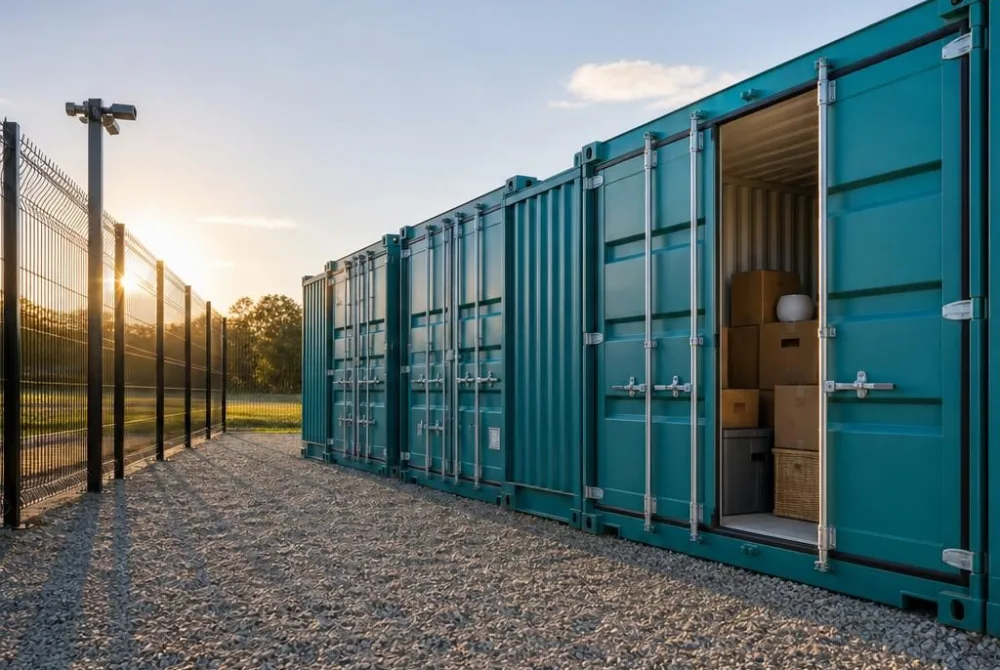
Container storage has become one of the most practical ways to enter the self storage market. Shipping containers can be placed on open land relatively quickly, rearranged as demand changes and offer secure, ground-level access that customers like. The tips below focus on the software side of running efficient sites.
But running a container site comes with its own challenges. Units are spread across a yard, sites are often unstaffed for much of the day, and owners frequently manage several locations. The right software can make the difference between a site that runs smoothly and one that constantly needs attention.
Why container sites are different
Traditional self storage buildings usually have an office, a reception desk and a single secure entrance. Container sites are often simpler: a fenced yard, a gate and rows of containers. There may be no permanent staff at all.
That simplicity is attractive, but it means more of the business has to run remotely. Bookings, payments, access and customer questions all need to work without someone standing at a desk.
Tip 1: Track every container clearly
It sounds basic, but knowing exactly which containers are free, reserved, occupied or under maintenance is the foundation of everything else. On a large yard, mistakes are easy if you rely on memory or a spreadsheet.
Use software that shows the status of every unit in real time, ideally with a visual layout of your site. Number your containers clearly on the ground and in the system so staff and customers never get confused.
Tip 2: Offer online booking from day one
Container sites often attract customers who want quick, simple storage: tradespeople, small businesses, people moving house. Many will be searching on their phone and want to book immediately.
Online booking lets them choose a container size, reserve it and complete the rental without calling. For an unstaffed site, it's essential.
Tip 3: Make the agreement digital
Without an office, paper contracts become a real headache. Who prints them? Where are they signed? Where are they stored?
Digital rental agreements with e-signature solve this. The customer signs during booking, and the document is stored securely against their account.
Tip 4: Connect access to your software
Gate access is the heartbeat of a container site. Each customer should have their own access credentials, active only while their rental is current and their account is paid.
When access control is linked to your storage software, it updates automatically as customers move in, move out or fall behind on payments. That protects your site and removes a lot of manual work.
Tip 5: Automate billing and payments
Container customers often rent for months at a time and rarely visit the site. Automated recurring billing and online card payments keep income steady without anyone chasing invoices.
Clear invoices and easy payment options also reduce questions and late payments. If you serve business customers, check whether your software supports e-invoicing integrations as more countries adopt structured electronic invoicing.
Tip 6: Plan for more than one site
Container storage scales well. Once one site is running, many operators add another, then another. Managing each site separately quickly becomes inefficient.
Choose software that lets you manage multiple sites from one dashboard, with combined reporting on occupancy and revenue. You'll be able to compare locations and see where demand is strongest.
Tip 7: Mix storage types if it makes sense
Some container operators also offer outdoor parking for boats, caravans or vehicles, or have a few indoor units or garages. Rather than running separate systems, look for software that handles all storage types in one place.
StoRegister, for example, supports containers alongside self storage units, garages and boat and RV storage, so everything sits in one system.
Tip 8: Use your data
Your software collects valuable information: which container sizes rent fastest, how long customers stay, when enquiries peak. Review it regularly. It will tell you when to add containers, which sizes to buy and when to adjust prices.
With AI tools like AI Genie, you can simply ask questions such as which container sizes are most in demand and get an answer straight away.
Common mistakes to avoid
- Relying on shared gate codes that never change.
- Keeping paper contracts with no office to store them.
- Chasing payments manually instead of automating billing.
- Running each site in a separate spreadsheet.
- Ignoring your website, which is often the first place customers look.
Useful resources: for wider industry guidance, see FEDESSA, the Federation of European Self Storage Associations.
Frequently asked questions
Can a container storage site run without staff?
Many do, at least for most of the day. Online booking, digital agreements, automated billing and linked access control make it possible.
What container sizes should I offer?
Check local demand and your own booking data. Many operators start with a mix of common sizes and adjust based on what rents fastest.
Is software worth it for a small container site?
Usually yes, because it replaces on-site admin. The time saved and extra online bookings often cover the cost quickly.
Final thoughts
Container storage can be a lean, profitable business, as long as the systems behind it are just as lean. With bookings, agreements, payments and access running through one platform, you can manage your sites from anywhere and spend your time growing the business.
Book a free StoRegister demo to see how container sites are managed in one secure system.
ALL in. ALL yours.
StoRegister is secure self-storage software with every feature included: bookings, e-sign, invoices, payments, unit access and AI Genie. Book a free demo.